
Start tracking with one tap, and the moment you stop, your study time is auto-saved to the cloud. No manual entry, no tallying — just focus on studying itself. Open it in your browser; no sign-up, no install needed.
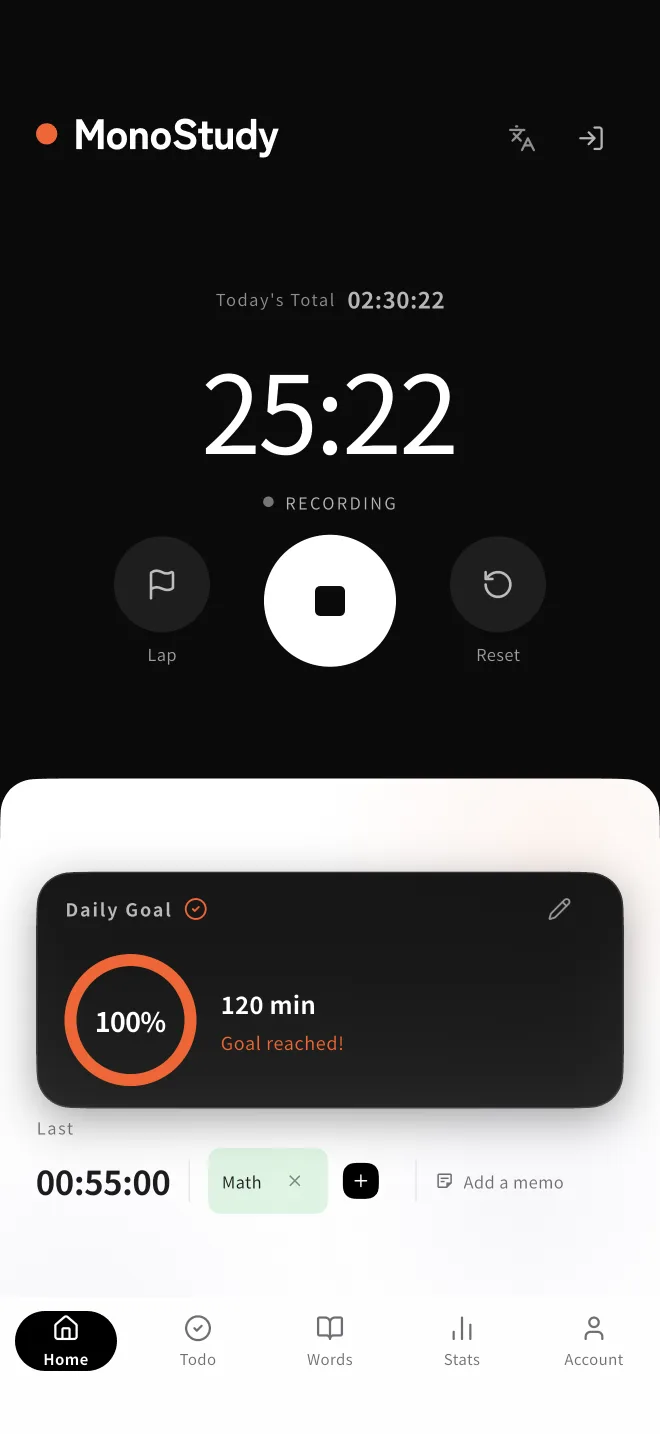
A study timer that brings "measure," "keep," and "review" together — never leaving you lost.
Start and stop with one tap. We've cut the steps before you start studying to the bare minimum.
Stop the timer and your study time is saved straight to the cloud, reflected in today's record at once.
Your daily total and recent sessions are tallied automatically. No need to type anything in later.
Track with a tag for each subject or task, and you can see later how much you put into each.
The study time you track is there to look back on in study time charts, by day and by period.
A study timer measures time — and it can also create focus. Here are three techniques you can start using today.
The Pomodoro Technique repeats one set of “25 minutes of focus, then a 5-minute break.” Human concentration doesn't last long, so short blocks keep your intensity high to the end. After four sets, take a longer 15–30 minute break. MonoStudy's timer starts and stops whenever you like, so it works for 25-minute Pomodoro blocks and for long, uninterrupted deep-work sessions alike.
The biggest reason studying doesn't stick is the inertia before you sit down. Decide in advance that “pressing the timer means studying has started,” and there's nothing left to deliberate. Motivation follows action, not the other way around — starting the timer with one tap is the shortest path.
Recording your own behavior changes it — a well-known effect called self-monitoring. When today's total is visible as a number, “ten more minutes” comes naturally. Your tracked time is totaled automatically, so review weekly trends in study stats and pair them with a daily goal to build a loop of record → goal → keep going.
Open it, press the button. You can record from today's study session.
Use the study timer free →