
MonoStudy

Look back on your study,
with charts.

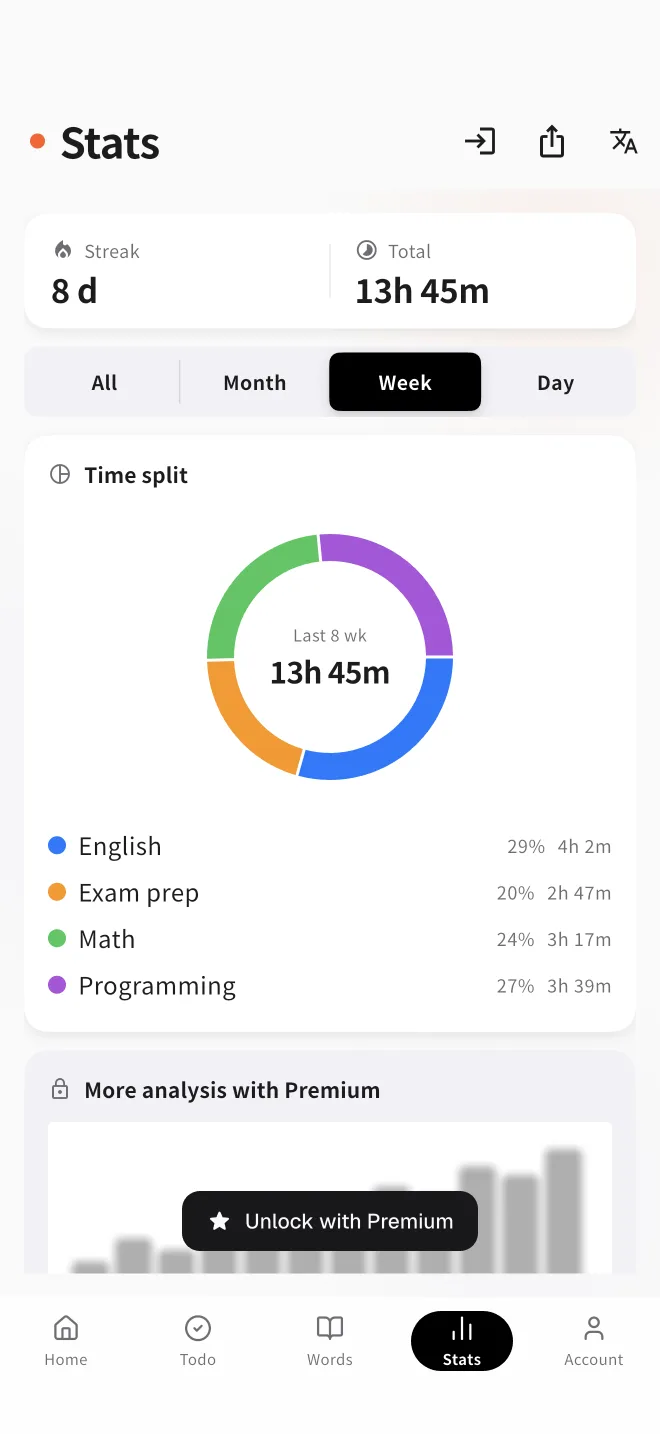
Your tracked study time and review accuracy are visualized into charts automatically. Per-tag charts make "how much you put into each subject" clear at a glance. Works in your browser, no sign-up, free — see your study add up.
Auto tally & visualizationStudy time trendsNo sign-up to start
MonoStudy stats screen showing daily study time as charts
Features

What the records reveal.

With no manual entry, your study patterns and results come into view.

Study time trends

Study time tallied by day and by period. The volume you've kept up shows in a chart at a glance.

Per-tag charts

Visualize study volume per subject or task tag. Spot imbalances and the areas you want to grow.

Review accuracy

Record your flashcard accuracy and see your retention in numbers.

Streak record

See at a glance how consistently you've kept going — a tangible sense of the habit.

How it works

Recording is automatic. Just look.

  1. Study with the timerYour tracked study time accumulates into your records automatically.
  2. Sort with tagsAdd subject or task tags and it's tallied by area.
  3. Look back with chartsOpen the stats screen and trends and per-tag charts appear automatically.
Guide

Records change how you study

From “trying hard, vaguely” to “see it, fix it.” Here's how to turn study records into results.

What gets measured gets improved

By feel alone, you can't tell what “I studied a lot this week” really means. When your record is numbers and charts, you see at a glance what grew, what shrank and what's lopsided — and that's where improvement starts. Recording your own behavior also changes it, a well-known effect called self-monitoring.

Review once a week — just three things

Daily post-mortems don't last. Once a week, check just three things: did total time reach the goal, is the subject balance skewed, and when will you study next week. Tag your timer sessions by subject and imbalances show up immediately.

Records only last if they're automatic

Hand-written study logs die the first busy week. With records built into the timer, the act of studying is the act of recording — nothing slips through. Reducing the effort of recording to zero is the single best trick for keeping it up.

FAQ

Frequently asked questions

What charts can I see?
You can see how your study time trends by day and by period. Your flashcard review accuracy and your streak are shown alongside it. Per-tag charts, which compare how your time is split across subject or task tags, are free. The study trend chart (a stacked bar chart by subject) and the period-comparison chart are Premium features.
Can I record everything in the browser alone?
Yes. Just open it in your browser and run the timer — your study time accumulates into your records and the charts are built automatically. No install and no sign-up.
How much can I see for free?
For free you can see your full study history. The pie chart showing how your time is split across subject and task tags is free too, across your whole history. The study trend chart (a stacked bar chart by subject) and the period-comparison chart are Premium (¥280/month) features.
Can I add a record by hand?
Yes, though adding a record by hand and deleting a record are Premium (¥280/month) features. From the stats screen you can add study time you forgot to track. Editing the tags and memo on an existing record is free.
Is my data stored safely?
Records are stored securely in the cloud (Firebase), and each user can access only their own data. See the Privacy Policy for details.
How often should I review my stats?
Once a week is enough. Do a light review of just three points — total time, subject balance, next week's plan — on the same day each week.

Make your progress visible.

Recording is automatic. You just focus on studying.

See your records free →